Salesforce Developer Spotlight: Michael Welburn

This is the third in a new series of posts that will spotlight one Developer who has successfully transitioned to Salesforce. The people in these posts were interviewed in order to share their transition experiences with other developers. This information was used as part of a Dreamforce 2014 session titled, “Career Strategies for Developers Transitioning to Salesforce“.

Michael Welburn, Developer/Consultant at 7Summits  michaelwelburn

Michael completed the Salesforce Advanced Developer Certification back in January of this year and has a lot of great advice to share with others wanting to follow his path. Formerly a Java developer, Michael was thrown into the world of Salesforce development very suddenly when his company assigned him his first Salesforce project. Even though his Java background helped a bit, he learned a lot of lessons through trial and error.

I am grateful he took time out of his very busy schedule to complete my interview. I think we can all learn a lot from each other.

Can you tell me a little about your background and the type of development you were doing prior to learning about Salesforce?

I graduated from University of Illinois – Urbana Champaign with a degree in Computer Engineering. I spent the next ~3-4 years doing a lot on the Java stack consulting on Documentum projects. Lots of Java, JSP, Tomcat, SQL/Oracle.

What was your main transition approach, or was your transition very sudden?

My company was starting a Salesforce practice and the first project (a single VF page and class) needed to get done. I was unbillable, so I got roped in without any idea what Salesforce was. Having a Java background helped quite a bit on the Apex side, but I ran into a lot of problems dealing with things like governor limits that blindsided me. Mostly I just fought my way through whatever tasks were tossed on my plate, learning what not to do and best practices as I went.

Did you pursue any certifications? Did you take any online or in-person classes? What other types of training did you do to learn about Salesforce?

I picked up the Dev 401 shortly after starting, which studying for helped demystify a lot of the platform. About a year later I started work at another company that was all for certifications, and I had some down time, so I cranked out Admin, Advanced Admin, Sales Cloud, and Service Cloud in a month. I found that working on a lot of smaller engagements over that year helped me be extremely prepared for those tests with minimal amount of studying. Then last fall I decided it was time to take Adv Dev 501. I felt pretty prepared, though there was a handful of material I had simply never used on my projects, and studying for that opened my eyes to a bunch of new ways of accomplishing things that I’ve integrated into my toolkit.

What are some of your favorite online resources for learning? Do you have any favorite blogs that you follow?

The Salesforce documentation is my #1 google result, looking for objects and fields. I subscribe to a handful of Force.com MVP blogs, particularly enjoying what Reid Carlberg, Jeff Douglas and Matt Welch have put out in regards to taking the platform to new limits.

Did you get any advice from other developers and if so what was the most helpful?

Unfortunately I was in a position where I did not know any other person developing on Salesforce, nor had any coworkers developing, for almost a year. I had to self teach myself pretty much everything (and I did not realize the depth of content available on the internet for that same amount of time). I’m glad that I discovered a lot of best practices via my own trial and error, but having some coworkers on the platform, or even reaching out on #askforce on twitter or the salesforce stackexchange site makes solving problems far easier.

What are you doing now and how did everything you do prepare you for it?

I’m a Technical Architect at 7Summits, helping build out their Salesforce practice that is particularly focused on creating online experiences to transform businesses. It is really exciting to see the UX/UI team that we have build awesome front ends on top of the Salesforce platform, and time and again the people I work with tell me how shocked they are that the backend work can be done so fast.

If you had to do it all over again, what would you do differently in your transition approach?

I would have spent a little more time trying to find helpful resources before punishing myself with trial and error, and I would have made more of an effort to find other developers working on the platform to bounce ideas off of. I have a hard time remembering what the ecosystem was like back in 2011, but the last couple years it has really exploded on the internet, to the point where there is always someone willing to help out on a variety of websites.

Anything else you want to add that you think would be helpful to developers transitioning?

Pay attention to the best practices that are documented, you will see them ALL. THE. TIME. https://developer.salesforce.com/page/Apex_Code_Best_Practices The workbooks that Salesforce provides for Force.com, Apex, and VF are also extremely helpful. https://developer.salesforce.com/page/Force.com_workbook Beyond that, just get your hands dirty in a dev org!

Salesforce Developer Spotlight: Eric Bell

This is the second in a new series of posts that will spotlight one Developer who has successfully transitioned to Salesforce. The people in these posts were interviewed in order to share their transition experiences with other developers. This information was used as part of a Dreamforce 2014 session titled, “Career Strategies for Developers Transitioning to Salesforce“.

EricBellEric Bell, Polymorph Corporation

Eric has a broad range of experience working with systems for .NET, Windows, Java, Linux, front-end, back-end, database, etc. In 2002, he published “Fundamentals of Web Applications Using .NET and XML“. Even though he had focused primarily on .NET technologies with his start-up company, he recently decided to embrace the Force.com platform head-on. Here is the rest of my interview with him:

What was your main transition approach, or was your transition very sudden?

 I was asked to take a few days and learn what I could about SF. After those few days we (team of 4) planned our approach. We were thrown into the deep end of the pool and failure to swim was not an option.

 Did you pursue any certifications? Did you take any online or in-person classes? What other types of training did you do to learn about Salesforce?

 For that and then two ensuing projects I learned on the job using Google and SF as my principle means to find out how to work SF, what best practices were and where the bodies were buried and there are always bodies buried.

 I pursued a cert only last year for it’s “check the box” cache. I’m going for the advanced dev cert at this Dreamforce (and yes, I’m coming).

 I’ve had no formal training and after speaking with other who have know it can be valuable. But my background in development and development practices carried me very far quickly. In a way that’s just part of my job.

What are some of your favorite online resources for learning? Do you have any favorite blogs that you follow?

My online resources are centered around search engines leading me to blogs, articles other floating on the net coupled with the SF sites themselves. As to favorite bloggers I don’t have any that I read regularly. However,

Did you get any advice from other developers and if so what was the most helpful?

Actually I know an admin who has more technical architecture knowledge of SF than anyone other that I met so far. From him it’s little things that I’ve learned and put into practice that have help enormously in the the last year.

I have other developers that I know and sometimes ask for help but even with advanced knowledge most are unable to think creatively enough to help me. More by rote than inspired thinking.

What are you doing now and how did everything you do prepare you for it?

I continue to consult but now split my time between SF and digital marketing (fixing website funnels, primarily). As to SF having years of experience in software development was my preparation. In SF I mainly do physical integrations – “take these three web services and marry them with SF to build a bigger animal”.

If you had to do it all over again, what would you do differently in your transition approach?

Nothing. I like the challenge diving into the deep end of the pool.

Anything else you want to add that you think would be helpful to developers transitioning?

I thought about this question and realize that there is a lot of advice I can give on a situational basis. Front end guys, back end guys, DB guys, analyst guys, (I can almost hear the Oscar Mayer Wiener jingle as I write this).

But the one thing I know to be true having seen first hand the problem newbie developers run into is just being on a project, with goals and doing it. As in everything else execution is critical. Newbies will make many, many mistakes but it in the actual doing it that they have the best chance of learning, improving and mastering. They need someone with experience to review their work and make improvement suggestions. This is the only thing that counts in the end – doing it.

Slide Deck from Dreamforce 14 Session

SlideDeckOn Tuesday I had the honor of speaking at a Dreamforce 14 session titled, “Career Strategies for Developers Transitioning to Salesforce”. A few people at the session asked whether my slide deck would be made available and I promised them I would post it on my blog, so that is the main purpose for this post. If you are interested in the slides from my session, you can find them here.

If you are interested in the other developers I interviewed to prepare for this session, then you can check them out here. I will be adding one each week.

And if you came by the session, THANKS!!!

Developing with Visualforce Course just went Live!!!

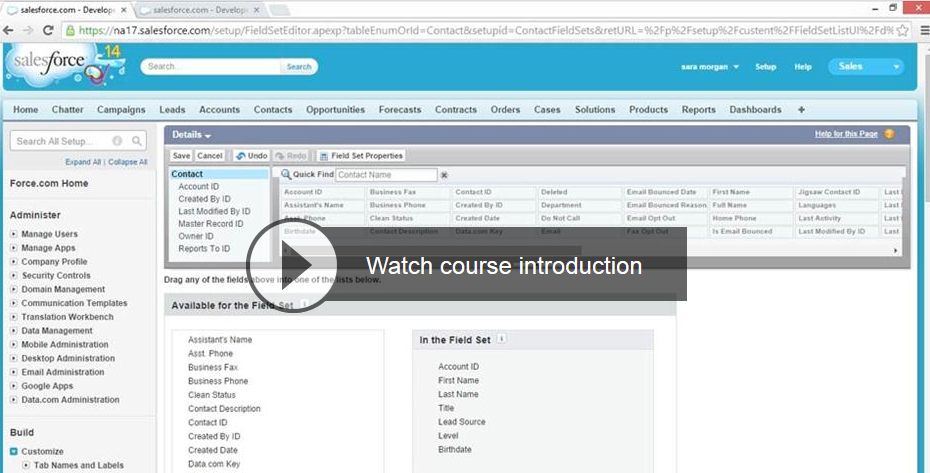
The Visualforce course I designed for Lynda.com, Developing with Visualforce just went live. You can access it here and even if you are not a member, you can view 4 videos for free.  DevlopingWithVisuaforce

I am pretty proud of the course. I spent a lot of time trying to think through the best way to teach this stuff to beginners. I hope that I succeeded in some small way. I would love to know what you think, good or bad. I don’t mind getting bad feedback because it helps me to get better.

This is just the beginning too. I plan on doing a whole series of courses. This one was an introductory course, so keep that in mind if you are already very familiar with Visualforce. I stressed using declarative solutions and use of standard controllers whenever possible. I really do believe in the KISS (Keep it Simple Stupid) methodology.

Check out one of the free videos Lynda.com makes available:

http://www.lynda.com/player/embed/197238?fs=3&tr=utm_medium=ldc-partner;utm_source=SSPRC;utm_content=11889;utm_campaign=CD16309;aid=CD16309;bid=11889&w=560&h=315;subID5=197238&ps=paused

Oh, and this is the info on the course:

Course Description:
Start developing custom interfaces for the Force.com platform (including Salesforce) using Visualforce. Sara Morgan walks you through the basics of Visualforce, explores its MVC backbone, issues instructions for downloading a free developer edition of the software, and helps you decide if Visualforce is right for your organization. She then explores how to build pages out of common components; enhance pages with tabs, controllers, and extensions; and use the Developer Console to perform more advanced operations—such as editing multiple records, configuring error handling, and unit testing your code. Along the way, you’ll encounter a series of coding challenges that let you practice and expand your Visualforce coding skills.

Topics Include:
What is Visualforce?
Registering for an account
Building a Visualforce page
Building a tabbed page
Configuring permissions
Using standard list controllers and custom controllers
Exploring unit testing

Duration:
3h 4m


Salesforce Developer Spotlight: Jason Hammerle

This is the first in a new series of posts that will spotlight one Developer who has successfully transitioned to Salesforce. The people in these posts were interviewed in order to share their transition experiences with other developers. This information was used as part of a Dreamforce 2014 session titled, “Career Strategies for Developers Transitioning to Salesforce“.

JasonHammerleJason Hammerle

Salesforce Architect for Cameleon Software, a PROS company

Jason, who recently passed the DEV501 certification test, has been working with Salesforce for the past two years. But Jason is no newcomer to software development. He has been a professional software developer since 1994, when he began his career as a computer programmer at NASA. It was there that he developed a C++ and X-Windows application used to plan Space Station and Shuttle missions. You can read more about his programming background here.

Jason has worked with many technologies and platforms over the years, but it was his exposure to a Dreamforce session one year ago that ignited a certain spark in him. The following are Jason’s own words about what led him to becoming a Salesforce Developer and why he likes it so much:

What was your main transition approach, or was your transition very sudden?

It was very sudden and exactly one year ago.  I had just taken a HOT session and I was sitting on a bean bag practicing what I learnt in an Interfacing with Salesforce using REST class while listening to 80’s music.  At that moment, I realized why Salesforce was so successful and why I was going to devote the rest of my career to this fantastic platform.  Specifically, Salesforce understood how to make the developer experience very cool and very fun.  We hear a lot about user experience but less about developer experience.  Good software requires good user experience and a good platform requires good developer experience – and Salesforce has the very best.  At that time, I was managing a large salesforce team, a dynamics CRM team, and two cloud teams.  My days were filled with double or triple booked meetings from morning until COB.  I decided in the bean bag that my life was about to change and that I was a developer again.  I took PTO the week after Dreamforce and spent 30 hours developing a Salesforce 1 app to validate my decision.  I have not stopped developing since.

Did you pursue any certifications? Did you take any online or in-person classes? What other types of training did you do to learn about Salesforce?

In the Spring of 2014, I travelled to Dallas TX to attend the DEV401 training class.  A few weeks later, I travelled to Salesforce offices in San Mateo, CA to attend the DEV501 training class.  Both instructors were really great teachers each with their own very unique style.  I passed the DEV401 cert in the Summer of 2014 and I hope to pass the DEV501 cert in Fall of 2014.  After I pass (while I wait for the programming assignment), I intend to purse two more certifications in Sales Cloud and Technical Architect.

 What are some of your favorite online resources for learning? Do you have any favorite blogs that you follow?

We have premier support so I heavily use the partner training portal to prepare for certification exams.  Also, I have a membership with pluralsight and think these video resource are a great way for developers to stay up to date and relevant.  I also follow several blogs like Sara Has No Limits, Bob Buzzard blog, Andy In The Cloud, Force365 – Cloud Architects, The Humble Salesforce Developer, et al.  I also started blogging myself on topics that I practice at work that I think might help others.  Recently, I have been working a lot with metadata api’s and so I probably reference Andy In The Cloud blog the most.  I have a lot of content from my recent experience that I would very much like to blog about when I can find the time.

Did you get any advice from other developers and if so what was the most helpful?

Yes, but it was a very weird situation.  I was managing (and leading) a remote team of very experience Salesforce developers (all in Bolivia) and then swapped roles with a technical lead (in Houston) that wanted to pursue management.  Most of my remote reports were now my peers and it was difficult at first to get advice from them.  Once the other developers saw that I was very serious about changing role – the certification helped – and they realized that I really did want to follow the technical path then they really helped me out.  Two of the Bolivians visited for two weeks.  During this time, they helped me to switch from Eclipse to MavensMate, work with Git and Stash (previously I only worked with Mercurial and other like versioning software), and – most of all – they really really challenged my code.  My years of being a professional developer came back to me very quickly during their visit which really motivated me. 

What are you doing now and how did everything you do prepare you for it?

After the Bolivians visited, we sprinted together for four three-week sprints developing a managed package.  It has been the best 12 weeks of my career by a long shot.  I am really looking forward to working with Salesforce over the long term to really master the platform.

If you had to do it all over again, what would you do differently in your transition approach?

Nope, I would not change a thing about the transition approach.  I use to go to work every day as a manager.  Now, I go to work every day to play with my favorite hobby.  I look at every work day like I would a fun vacation day on the slopes in Telluride or on the beaches in Maui.  I truly love my job and more than that – I love knowing what I am going to be doing for the rest of my career.  There is a clear difference between management and developer.  I liked management but development has always been what I truly love to do.  If I could do parts of my career over again, then I probably would not have gone into management.  With that said, I am a better developer now for it.

Anything else you want to add that you think would be helpful to developers transitioning?

If you already program in Java or C# then the transition will be very easy for you.  If you are a front end developer then your experience would likely be extremely valuable to a Salesforce development team.  And to all other developers (and even managers), you can be a Salesforce developer too by leveraging the great Salesforce training course, Salesforce resources, Success forums, blogs, and the many many people (like Sara) that have already transitioned and really want to help you.  I also very much would like to help anyone that wants to make this transition too.

Heads Up: Problems consuming WSDL and Winter 15 release

Winter15If you work with WSDL to access the SOAP API, then you need to be aware of the fact that there is a serious problem involving the Winter 15 release. As of now, there are two issues that are causing problems.

The first issue has to do with consuming an enterprise or partner WSDL in .NET. If you generate your WSDL using the new Winter 15 (or version 32 of the API), you should get the following error when you try to instantiate the object:

 There was an error in serializing one of the headers in message loginRequest: ‘Unable to generate a temporary class’. Cannot convert ListViewRecordColumn[] to ListViewRecordColumn

This issue has been reported by multiple people on the forums. You can workaround it by doing a simple find and replace in your solution. You will want to do a find for all occurrences of [][] and replace with []. This should replace two occurrences in the Reference.cs class file. You can then recompile and your app should work.

The second problem has to do with consuming custom WSDL and this is a known issue that has been acknowledged. A permanent workaround may become available, but in the mean time, the fix involves doing another find and replace. You will need to replace all instances of ns1: and ns2: with tns:.

Hope this helps someone avoid all the hair pulling out that I went through recently.


Nothing but .NET Series on DeveloperForce

microsoftnetYesterday marked the beginning of a new series of posts I am doing for the DeveloperForce Blog on .NET integration with Force.com. The first post, which you can find here goes over the differences between using a service reference versus a web reference when connecting to the Force.com SOAP API using .NET.

I actually discovered a surprise result when doing the research for this post, so if you work with.NET integration at all, I highly suggest you check it out.

Heads Up: Custom Home Page Components Using iFrames may stop working in Summer 15

In preparation for my upcoming Visualforce course on Lynda, I discovered something that I think may have a big impact on some people out there that are using iFrames to embed a Visualforce page in the Sidebar. I have seen this technique used by several people over the years to display data in the sidebar and up until just recently the only way to accomplish this was to create a Home Page Component that referenced a Visualforce page using an iFrame. It was kind of a kludgy thing (sort of a hack really, so I am not surprised to see it go). I even wrote about this in a post back in November.

Well, with the Summer 14 release, there were big changes to how the HTML code is handled for these components. If you go to create a component now, you will not find a “Show HTML” checkbox that used to appear at the top right of the Rich text editor. The only exception to this will be if you created a component prior to Summer 14 that did contain Javascript or an iFrame. These components are still supported and will display the old editor (FOR THE TIME BEING!!!!).

BUT, the release notes clearly state the following:

In Summer ’15 we will start removing unsupported code from HTML Area home page components. As a result, components that contain JavaScript, CSS, iframes, or other unsupported markup might stop working properly. To use JavaScript or other advanced HTML elements in your home page component, we recommend that you use a Visualforce Area component instead.

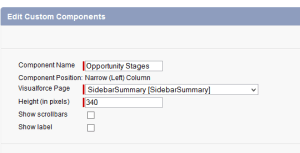
This means that all those orgs that are using this technique may find their pages not working at all next year. You might want to check out SidebarSummarywhether your org has any Visualforce pages or even S-Controls that are still using iFrames, or JavaScript in the Home page component and make a plan to change them over to using the newly available Visualforce Area as the Component type. It really is cool and makes creating these type of components much easier. It is an improvement, but I wanted to make sure everyone was aware of it.

Speaking at Dreamforce 2014

I am very excited to announce that I will be presenting a session at the 2014 Dreamforce Developer Track entitled, “Career DreamforceStrategies for Developers Transitioning to Salesforce“. The main goal for this session is to offer practical ways that experienced developers that are just new to Salesforce can transition their skills to the platform.

I would love to hear from any of you that may be facing this unique challenge – either to share with me your experiences or to just tell me what you would like to learn. Please feel free to contact me through this blog with ANY feedback you may have. All feedback is welcome as I want this to be coming from multiple perspectives. Just go to the About Sara page and submit the contact form and I promise to get back to you quickly.

I really think this a chance to talk openly about something that is not often spoken of and I hope to answer the following questions:

How do you successfully capitalize on your existing development skills when moving to a new platform such as Salesforce?

and

What resources can you access to help you make the most of your transition?


Top 5 Tips for Improving Visualforce Pages

#1 – Reduce or eliminate view state   top5

View State is not your friend when it comes to page performance, so if you do not need it (as in your page does need to persist data between page requests), then do not use it at all. This is especially true for pages that will run on the Salesforce1 mobile platform!!!

How do you not use it all?

Do not include the <apex:form> tag unless you absolutely have to. This tag should only be used when you are accepting input from the user, so if you are only displaying data to the user, you should not have a form tag.

Like this Post? Then you will really like the “Improving Visualforce Performance” course that I designed for lynda.com. It was based on this post specifically and goes into great detail about each one of the tips in this post. Check it out!

And, even if you are accepting input, it is likely that not all the data on your page needs to be submitted through a POST request. For example, you could have a page that lists some account data, but only allows the user to change one particular field. In cases such as these, you could use the Transient keyword in the Controller class to make all the data fields (and especially collections) that are not being changed read-only. This means they will not be stored in the view state and your page will load faster.

You should also consider using JavaScript Remoting to avoid View State state by invoking the Apex Controller or Extension from JavaScript instead. This puts more load on the front-end and typically results in more code, but for certain pages that demand fast performance (especially those on the Salesforce1 mobile platform), this may be a necessary tradeoff to consider. But, if you do decide to go this route, make sure you use very efficient JavaScript code, so you do not violate Tip #5.

#2 – Evaluate SOQL for Efficiency

There are several ways you can write better SOQL code. For starters, ALWAYS make sure you place SOQL queries outside of loops. This should be done no matter what. It will not only make your page perform better, but will help avoid limit errors and should be standard practice. This also applies to DML.

Beyond that essential tip, you should also consider:

  • Only return fields that you are using on the page
  • Use WHERE clauses as much as possible to restrict the number of records returned
  • Use indexed fields in your WHERE clause as it will make the query optimizer work better. Default indexed fields are Id, Name, Owner, LastModifiedDate, and any foreign key or ExternalID fields.
  • Use the LIMIT keyword when possible
  • Use aggregation functions such as COUNT()
  • Use the WITH SHARING keyword in your controllers since the sharing architecture is used by the Query Optimizer and you will only retrieve the records that the users has access to
  • Additional suggestions (per reader JSON Hammerle) are to:
    • Use native (more selective indices) when possible
    • Hash your composite key (if you have one) into the native name field and use this hash in your WHERE clause This is comparable to a skinny table but you don’t have to work with support – and it can be delivered in a managed package.
    • Order your WHERE clause from most selective to least

#3 – Reduce use of Action tags

This kind of goes with tip #1, but since it is so important, I wanted to make it a separate point. Action tags such as <apex:ActionPoller> and <apex:ActionFunction> seem great on the surface since they are VERY easy to use, but they are memory hogs, so limit your use of them and consider alternatives.

Rather than using the ActionPoller tag, you should consider using the Streaming API. It means more code for you, but it results in no view state (remember tip #1). If you do not like the Streaming API, then consider using traditional polling using a Meta tag with a refresh and a window.location.reload.

Rather than using the ActionFunction, ActionSupport, ActionRegion tags, use Visualforce Remoting which uses no view state. Like I said earlier, it results in more code and complexity for you, but for certain pages this may be necessary. Again though, make sure you incorporate efficient JavaScript. Do NOT just copy and paste the first JavaScript snippet you find by doing a Google search.

#4 – Take Advantage of StandardSetControllers when dealing with lists of data

StandardSetControllers, which are used to create list controllers are your friends and you should use them whenever possible. The StandardSetControllers are optimized to work with large data sets of up to 10,000 records and include pagination features (which you should be using) automatically. There is no need for you to do this yourself.

When you do use them, instantiate them using a list of sObjects instead of from a query locator, as this is a more efficient way.

#5 – Incorporate Best Practices with all JavaScript, CSS and Images

No Visualforce page will perform well if it includes poorly used or inefficient HTML technologies. Make sure you incorporate best practices when including things such as Javascript, CSS and images. Things such as this:

  • Remember less is more and smaller is better.
  • Files should be minified and use Static Resources
  • Avoid using global variables
  • Place Javascript at the bottom of the page when possible and use the <script> tag and not <apex:includeScript>
  • Use browser caching when you can
  • Avoid use of iframes

There are tons of documents out there about best practices. Two of my favorites are:

https://developers.google.com/speed/docs/best-practices/rules_intro

http://developer.nokia.com/community/wiki/JavaScript_Performance_Best_Practices